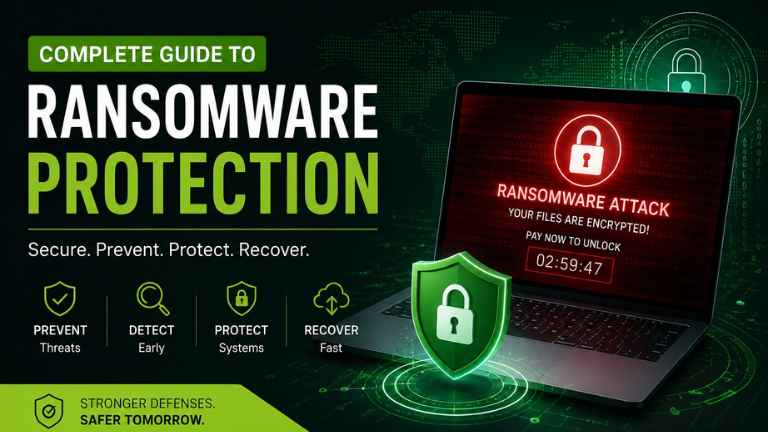
Most companies are still ill prepared to manage or protect against ransomware attacks and it is believed around 77% of contact centre professionals in the UK are not deploying any form of defence against ransomware attacks.From the biggest organizations to smaller businesses, cybercriminals are deploying ever more sophisticated techniques to lock up essential data so they can disrupt workflow and demand massive ransoms. One ransomware infection can have catastrophic economic and reputational consequences, legal liabilities, and lengthy business interruptions.
A strong Cybersecurity Solution can help companies significantly minimize their weaknesses while preserving the most important assets. Table of Contents: The Complete Guide To Ransomware & Ransomware Protection. The most well-known of these are: avoid information on how ransomware work; explore the common ransomware attack vectors; solutions to prevent any ransomware attacks; best practices for protecting yourself from a ransomware attack and recovering from it.
What is Ransomware?
For instance, Ransomware is malicious software (malware) that blocks access to systems or taxis files till the victim makes payment to three demands.
When a device or network is compromised, attackers encrypt salient files using strong encryption. Once encrypted, victims are hold to ransom with a message demanding payment — typically in cryptocurrency — for the decryption key.
But, even if you pay the ransom, there is no assurance that the files will be returned.
How Does Ransomware Work?
Ransomware attack has several stages which usually follow the below protocol :
Initial Access
Attackers gain entry through:
Phishing emails
Fake software downloads
Weak passwords
Remote Desktop Protocol (RDP)
S2. Execution
Once opened, the malicious file installs ransomware on the system without the user’s knowledge.
3. Network Exploration
The malware scans the network to identify:
Shared folders
File servers
Backup systems
Domain controllers
Sensitive business data
4. Data Encryption
Important files are encrypted using strong cryptographic algorithms.
Users lose access to:
Documents
Databases
Images
Videos
Applications
5. Ransom Demand
Attackers display instructions asking for payment within a limited timeframe.
Many modern ransomware groups also threaten to leak stolen data if payment isn’t made.oftware vulnerabilities
Types of Ransomware
1. Crypto Ransomware
Encrypts files and demands payment for the decryption key.
2. Locker Ransomware
Locks the entire computer while leaving files untouched.
3. Double Extortion Ransomware
Attackers:
Steal confidential data
Encrypt files
Threaten public data leaks
4. Triple Extortion
In addition to encryption and data theft, attackers target:
Customers
Partners
Vendors
to increase pressure.
5. Ransomware-as-a-Service (RaaS)
Professional cybercriminal groups lease ransomware tools to affiliates, making attacks easier and more frequent.
Common Entry Points for Ransomware
Unusual File Extensions
Files Suddenly Being Made Inaccessible
Decreasing System Performance
Process Running That Shouldn’t Be Running
Antivirus is Disabled
Multiple Failed Logins to Systems
Suspicious Network Activity
Lack of Backups
Ransom Note Is Present
Mass Changes Made to Files
Ransomware is Evolving Rapidly
The evolution of Cybercriminals has continued to change and that trend will continue. Some Trends that we are seeing is the emergence of:
- AI and AI-Powered Phishing
- Targeted Attacks on Cloud Based Environments
- Supply Chain Attacks/Compromises
- Data Exfiltration Before Encryption
- Multi-Stage Extortion Techniques
- More Rapid Encryption Technique
- Attacking Managed Service Providers (MSP) and other service providers
- Far greater focus on Attacking Critical Infrastructure
In order to continue keeping pace with these changes Organizations must be continuously updating their defenses against these ever-evolving threats.
Conclusion
Ransomware is no longer an IT Issue – Ransomware is now a Business Risk which has the potential to affect all aspects of an organization (Operationally, Financially, Reputation & Customer Trust). Cybercriminals have become more sophisticated; however, Organizations can greatly reduce the impact through being proactive about their Cybersecurity posture.
FAQ
1) What exactly is ransomware?
Ransomware is malware which encrypts files and locks systems before demanding payment to regain access.
2) How do Credentials normally start Ransomware attacks?
Typically, Ransomware attacks start when a user clicks on a phishing email, uses compromised credentials, tries to exploit a software vulnerability or attempts to access a system without proper security in place through insecure remote access.
3) Will antivirus software prevent me from falling victim to Ransomware?
Traditional antivirus products will only stop known threats, whereas advanced end-point detection (EDR) products or extended detection (XDR) products are much more capable of detecting and responding to new Ransomware methods.
4) What is the 3-2-1 backup rule for Ransomware protection?
The 3-2-1 rule states that you should maintain three total copies of your data, saved on two different media types, and one of those copies should be stored offline or offsite from your primary facility.
5) Are business organizations encouraged to pay the ransom from Ransomware?
In most cases, you should not pay the ransom ever to Ransomware, because paying does not guarantee you will receive your files back, and paying will also encourage more crime to occur.
6) How can Multi-Factor Authentication (MFA) help us from Ransomware Attacks?
By using MFA, you add an additional layer of security to your user account that makes it much more difficult for an attacker to gain access to your account through stolen passwords.
7) Which industries are most prone to Ransomware attacks?
Frequent targets of Ransomware attacks are Health Care, Manufacturing, Government, Education, Finance, Retail, Logistics and Technology Organizations.
8) What are signs that a Ransomware attack is occurring?
Some examples of signs that a Ransomware attack is occurring may include having files that are encrypted by Ransomware, files having a file extension which is not normally used by files, Security software is disabled, the overall computer performance appears slow, an electronic document that explains how to pay the ransom appears on your computer, and unusual activity is occurring on your network.
ALSO READ