
Cyber Security Checklist for MSMEs: A Complete Guide
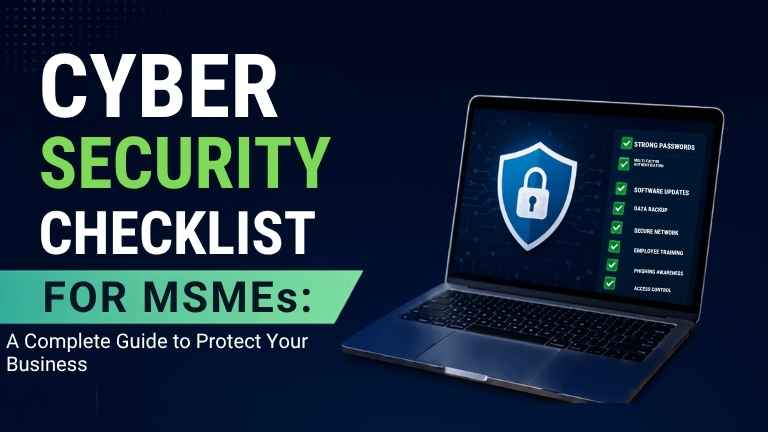
Micro, Small and Medium Enterprises (MSMEs) are emerging as new victims of cybercrime. Unlike big corporations, MSMEs usually function with tighter budgets, making them easier targets for phishing, ransomware, malware attacks, and data breaches. A single cyber incident can lead to monetary loss, operational downtimes, damage to reputation, and legal issues.
The good thing is that effective cybersecurity doesn’t necessarily require a lot of money. By following a structured cybersecurity checklist, beauty salons can improve their safety measures and avoid cyber threats.
This guide offers a list of basic cybersecurity measures that beauty salons should apply to protect their digital resources and business activities.
Why Cybersecurity Matters for MSMEs
Most entrepreneurs believe that cybercriminals attack only big companies. However, cybercriminals often seek out MSMEs because they possess poor security measures and insufficient IT resources.
With the help of an effective cybersecurity approach, companies can achieve the following:
- Safeguard consumer and business information
- Avoid financial scams and crimes
- Build trust among consumers
- Minimize the amount of time that the company is not operating
- Comply with requirements imposed by regulators
Essential Cyber Security Checklist for MSMEs
1. Conduct a Cyber Security Risk Assessment
Initiate your project by finding out the digital resources and valuable systems of your organization along with their weaknesses. Establish where confidential data is kept and identify any risks regarding your current IT environment.
Keep conducting cybersecurity risk assessments to develop priorities for improvements and allocate resources effectively.
2. Implement Password Policy
Poor passwords are still among the main causes of cyber incidents.
- Best practices include:
- Minimum passwords of 12 characters
- Mix of numbers, upper case, lower case and symbols
- Different passwords for each account
- Regular changes of passwords
- Use of a password manager.
- Don't use common passwords like "123456" or company names.
3. Use Multi-Factor Authentication
- It's not enough to use just passwords anymore.
- Enable Multi-Factor Authentication for:
- Email accounts
- Cloud applications
- Banking platforms
- ERP systems
- Remote access facilities
- Administrative accounts.
MFA minimizes the chances of unauthorized access if your passwords have been compromised.
4. Update Software and System Regularly
Obsolete software is vulnerable to exploitation by the hackers.
Make sure that your operating systems, antivirus software, firewalls, business applications and browsers are updated regularly.
Activate the option of automatic updates whenever possible.
5. Use endpoint detection and response (EDR)
Any laptop, desktop or smartphone connected to your network can be a way through which attackers can access it.
Endpoint detection and response (EDR) is a tool that assists.
6. Security of Your Wireless Network
Default settings should never be applied to business wireless networks.
Important points you should keep in consideration:
- Use WPA3 or WPA2 encryption mechanisms
- Create complex passwords for all Wi-Fi networks
- Create a parallel guest network wherever appropriate
- Hide your Wi-Fi name (SSID)
- Regularly update router’s firmware
Any unauthorized access in your Wi-Fi network can give hackers access to your internal network systems.
7. Backing up Data Consistently
Data backups are the most powerful weapon against ransomware hackers.
Follow the top 3-2-1 backup plan:
- 3 copies of data
- 2 different devices
- 1 data back in the cloud or offline
Check backups regularly to ensure the effectiveness of restoring data.
11. Control Access to Users
It is necessary to limit access to systems for some employees.
Follow the principle of least privilege (PoLP):
- Use only required permissions
- Remove accounts that are inactive
- Delete the account of former employees
- Check access periodically
Access control is useful to decrease inside threats and avoid possible information leakage.
12. Protect Cloud Applications
A lot of MSMEs work with cloud services like Microsoft 365, Google Workspace, or cloud storage facilities.
You should keep in mind the following points:
- Enable MFA
- Use secure file sharing
- Monitor access to information
- Create audit logs
- Put data encryption into practice
Protecting a sensitive cloud-based system is required for security.
13. Protect the Data of Clients
It is of great importance to secure the data about customers.
You should apply:
- Data encryption
- Secure databases
- Restriction of access
- Reliable online payment systems
Protection of the personal information of clients is a good way to gain trust and maintain compliance with official standards.
14. Monitor Network Actions
It is important to make continuous monitoring as it is necessary to detect unusual behavior before serious damage has been done.
Watch for:
- Failed attempts to log in
- Unusual access to files
- Use of unauthorized devices
- Anomalies in network traffic
- Alerts about malware
Real-time monitoring has its advantages.
15. Create Response Plan for Incidents
Even with numerous precautionary measures cyber incidents may still happen, however, one can create an effective documented plan.
You need to include such information as:
- Reporting about incidents
- Isolating devices
- Conducting investigations
- Making a report to clients
- Recovering data
- Reporting to law enforcement
Common Cyber Threats MSMEs Should Watch For
It is important for companies to stay aware of many threats, such as phishing, ransomware, malware, BEC, insider threats, data breaches, and DDoS attacks. When an organization understands its dangers, it can use appropriate security tools before facing a major crisis.
Importance of Cybersecurity Compliance Checklist
Developing a cybersecurity compliance checklist brings many benefits that can be helpful in the future:
Lowered risk of cyber attacks;
- Higher customer trust;
- Improved business continuity;
- Faster response to cyber incidents;
- Lower finances lost;
- Better regulatory compliance;
- Higher level of data security;
Higher operational resilience;
Cybersecurity becomes a better competitive advantage when customers know that their data is secure.
Conclusion
Cyber threats keep on changing, thereby rendering cybersecurity essential for MSMEs. Every small business has important data that cybercriminals want to steal. By implementing a complete cybersecurity checklist like strong passwords, the use of multi-factor authentication, updating software and applications regularly, endpoint security, employee training, secure backup processes, and continuous monitoring, businesses can reduce the impact of cyber threats.
Establishing a culture of cybersecurity now will protect your business as well as your image and customers in the future. Adopting preventive security measures will make companies avoid cyber incidents financially, as well as develop businesses in digitalized economies.
FAQ
1. What relevance does Cyber Security have to MSMEs?
Cyber Security provides MSMEs protection from being victims of data breaches, ransomware, phishing, financial fraud and disruption of operations and ensures they preserve customer trust and continue operations.
2. How often should MSMEs perform Cyber Security audits?
Organizations are expected to conduct Cyber Security audits every year, conducting a vulnerability assessment and updating their software on a regular basis while keeping their system under continuous surveillance.
3. What is the biggest cyber threat for SMEs?
Phishing remains one of the biggest threats as it aims at employees, targeting them through fake emails/messages in order to steal their credentials and install malicious software.
4. Is Multi-Factor Authentication (MFA) a must for MSMEs?
Certainly. MFA is another protection measure that amid other verification methods entails more than just a password thus minimizing the chances of getting unauthorized access to the account.
5. How can MSMEs recover from a ransomware attack?
A good preventative strategy includes performing offline backups on a regular basis, implementing endpoint protection, increasing employee awareness and developing an incident response plan. In case of an attack, organizations need to isolate affected systems, recover data from backup and investigate the causes of an attack prior to resuming operations.
ALSO READ
Why Government Organizations Choose Seqrite
Top 10 Cyber Security Mistakes Companies Make
Benefits of Choosing a Seqrite Platinum Partner
Top Cyber Security Threats Indian Businesses Face in 2026